HTML Text Formatting
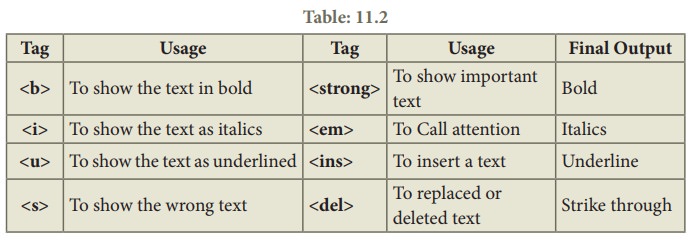
When creating a web page, you add tags (known as markup) to the contents of the page. These tags provide extra meaning and allow browsers to show users the appropriate structure for the page, HTML contains several elements for defining text with a special meaning.
HTML Formatting Elements
Formatting elements were designed to display special types of text:
Example:
<b> - Bold text
<strong> - Important text
<i> - Italic text
<em> - Emphasized text
<mark> - Marked text
<small> - Smaller text
<del> - Deleted text
<ins> - Inserted text
<sub> - Subscript text
<sup> - Superscript text
to know more about text in html please visit read this book Chapter 2: “Text” (pp.40-61) or you can visit this link. and you can use the css for formating and styling any text in html . to know more about integriation between css and html you can watch this 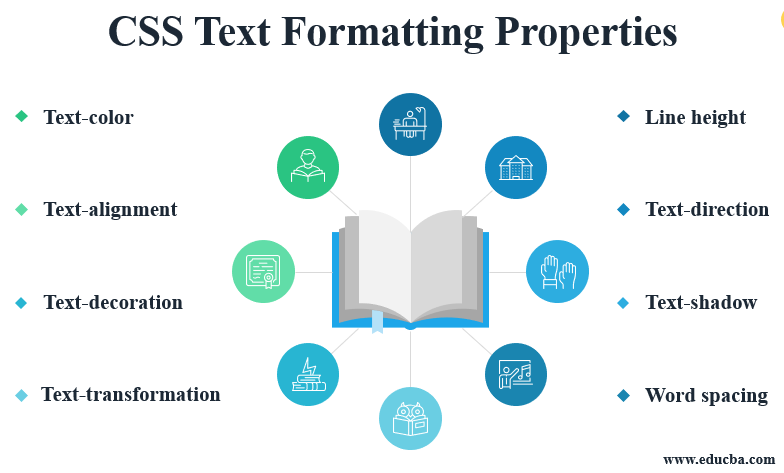
or visit this website get more details about CSS.
Basic JavaScript Instructions
JavaScript is a programming language that adds interactivity to your website. This happens in games, in the behavior of responses when buttons are pressed or with data entry on forms; with dynamic styling; with animation, etc. This article helps you get started with JavaScript and furthers your understanding of what is possible , read more or read this book to know more about javascript .
decisions and loops javascript
Looking at a flowchart (for all but the most basic scripts), the code can take more than one path, which means the browser runs different code in different situations. In this chapter, you will learn how to create and control the flow of data in your scripts to handle different situations.
cripts often need to behave differently depending upon how the user interacts with the web page and/or the browser window itself. To determine which path to take, programmers often rely upon the following three concepts:
EVALUATIONS You can analyze values in your scripts to determine whether or note they match expected results.
DECISIONS Using the results of evaluations, you can decide which path your script should go down.
LOOPS There are also many occasions where you will want to perform the same set of steps repeatedly.
Working with Loops in JavaScript
to know how to Work with Loops in JavaScript you can watch this