JavaScript Object Literal
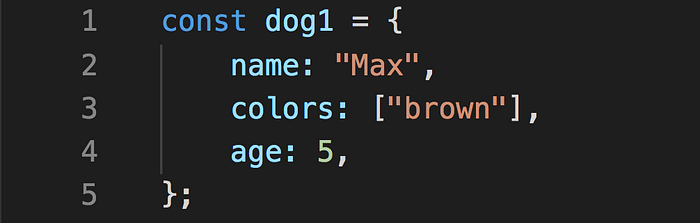
A JavaScript object literal is a comma-separated list of name-value pairs wrapped in curly braces. Object literals encapsulate data, enclosing it in a tidy package. This minimizes the use of global variables which can cause problems when combining code.
The following demonstrates an example object literal:
var myObject = {
sProp: 'some string value',
numProp: 2,
bProp: false
}
Object literal property values can be of any data type, including array literals, functions, and nested object literals. Here is another object literal example with these property types:
var Swapper = {
// an array literal
images: ["smile.gif", "grim.gif", "frown.gif", "bomb.gif"],
pos: { // nested object literal
    x: 40,
    y: 300
},
onSwap: function() { // function
    // code here
}
};
Object Literal Syntax
Object literals are defined using the following syntax rules:
- A colon separates property name[1] from value.
- A comma separates each name-value pair from the next.
- A comma after the last name-value pair is optional.
If any of the syntax rules are broken, such as a missing comma or colon or curly brace, a JavaScript error will be triggered. Browser error messages are helpful in pointing out the general location of object literal syntax errors, but they will not necessarily be completely accurate in pointing out the nature of the error.
Why and How We Use Object Literals
Several JavaScripts from dyn-web use object literals for setup purposes. Object literals enable us to write code that supports lots of features yet still provide a relatively straightforward process for implementers of our code. No need to invoke constructors directly or maintain the correct order of arguments passed to functions. Object literals are also useful for unobtrusive event handling; they can hold the data that would otherwise be passed in function calls from HTML event handler attributes.
There is one drawback: if you are unfamiliar with the syntax, it can be very easy to introduce errors which cause the code to stop working.
to know more About Object Literals visit this website or you can read in this book Chapter 3: “Object Literals” (pp.100-105)
Document Object Model

The Document Object Model (DOM) is a cross-platform and language-independent interface that treats an XML or HTML document as a tree structure wherein each node is an object representing a part of the document. The DOM represents a document with a logical tree. Each branch of the tree ends in a node, and each node contains objects. DOM methods allow programmatic access to the tree; with them one can change the structure, style or content of a document. Nodes can have event handlers attached to them. Once an event is triggered, the event handlers get executed.[2]
The principal standardization of the DOM was handled by the World Wide Web Consortium (W3C), which last developed a recommendation in 2004. WHATWG took over the development of the standard, publishing it as a living document. The W3C now publishes stable snapshots of the WHATWG standard. wikipedia
JavaScript interacts with HTML document indirectly by interacting with the DOM. With the document object model, JavaScript gets all the power it needs to create dynamic HTML:
- JavaScript can change all the HTML elements in the page
- JavaScript can change all the HTML attributes in the page
- JavaScript can change all the CSS styles in the page
- JavaScript can remove existing HTML elements and attributes
- JavaScript can add new HTML elements and attributes
- JavaScript can react to all existing HTML events in the page
- JavaScript can create new HTML events in the page
read in website or in this book Chapter 5: “Document Object Model” (pp.183-242)
Watch it on YouTube