STORAGE FOR WEB APPLICATIONS
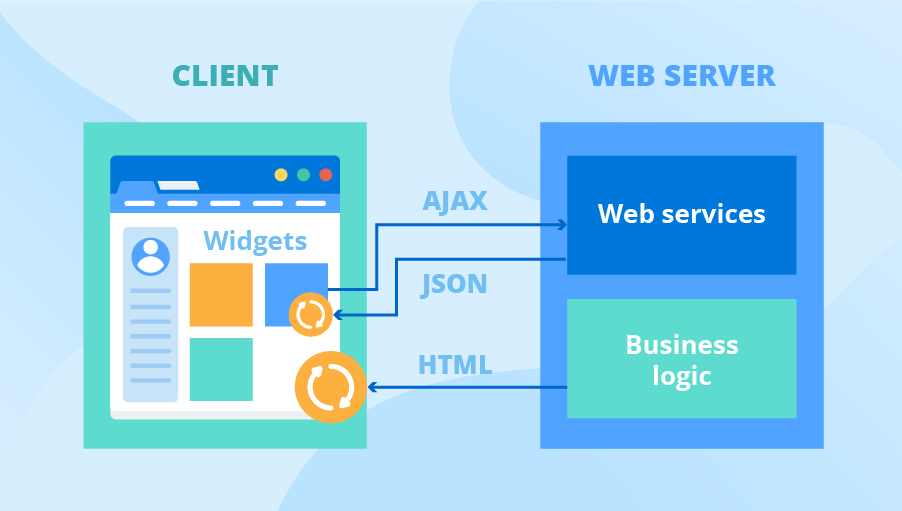
persistent local storage is one of the areas where native client applications have held an advantage over web applications. For native applications, the operating system typically provides an abstraction layer for storing and retrieving application-specific data like preferences or runtime state. These values may be stored in the registry, INI files, XML files, or some other place according to platform convention. If your native client application needs local storage beyond key/value pairs, you can embed your own database, invent your own file format, or any number of other solutions.
Historically, web applications have had none of these luxuries. Cookies were invented early in the web’s history, and indeed they can be used for persistent local storage of small amounts of data. But they have three potentially deal-breaking downsides:
- Cookies are included with every HTTP request, thereby slowing down your web application by needlessly transmitting the same data over and over
- Cookies are included with every HTTP request, thereby sending data unencrypted over the internet (unless your entire web application is served over SSL)
- Cookies are limited to about 4 KB of data — enough to slow down your application (see above), but not enough to be terribly useful
What we really want is
- a lot of storage space
- on the client
- that persists beyond a page refresh
- and isn’t transmitted to the server
Before HTML5, all attempts to achieve this were ultimately unsatisfactory in different ways.
USING HTML5 STORAGE
HTML5 Storage is based on named key/value pairs. You store data based on a named key, then you can retrieve that data with the same key. The named key is a string. The data can be any type supported by JavaScript, including strings, Booleans, integers, or floats. However, the data is actually stored as a string. If you are storing and retrieving anything other than strings, you will need to use functions like parseInt() or parseFloat() to coerce your retrieved data into the expected JavaScript datatype.
interface Storage {
getter any getItem(in DOMString key);
setter creator void setItem(in DOMString key, in any data); };
Calling setItem() with a named key that already exists will silently overwrite the previous value. Calling getItem() with a non-existent key will return null rather than throw an exception.
HTML5 STORAGE IN ACTION
 Let’s see HTML5 Storage in action. Recall the Halma game we constructed in the canvas chapter. There’s a small problem with the game: if you close the browser window mid-game, you’ll lose your progress. But with HTML5 Storage, we can save the progress locally, within the browser itself. Here is a live demonstration. Make a few moves, then close the browser tab, then re-open it. If your browser supports HTML5 Storage, the demonstration page should magically remember your exact position within the game, including the number of moves you’ve made, the position of each of the pieces on the board, and even whether a particular piece is selected.
read more about STORAGE FOR WEB APPLICATIONS
Let’s see HTML5 Storage in action. Recall the Halma game we constructed in the canvas chapter. There’s a small problem with the game: if you close the browser window mid-game, you’ll lose your progress. But with HTML5 Storage, we can save the progress locally, within the browser itself. Here is a live demonstration. Make a few moves, then close the browser tab, then re-open it. If your browser supports HTML5 Storage, the demonstration page should magically remember your exact position within the game, including the number of moves you’ve made, the position of each of the pieces on the board, and even whether a particular piece is selected.
read more about STORAGE FOR WEB APPLICATIONS